





Sign up today and see the results for yourself!
Want to speed up your verification process?
Share a screenshot of your ad revenue from the past 3 months.
Ask yourself the following questions:
Have you recently deployed a new optimization strategy that might have negatively affected overall performance?
Is there a particular bidder with huge discrepancy? (Check: Rise in Discrepancy)
Have you launched a new bidder that negatively affected performance?
Step 1: Run a configuration test (configtest) on random pages to make sure header bidding is running properly.
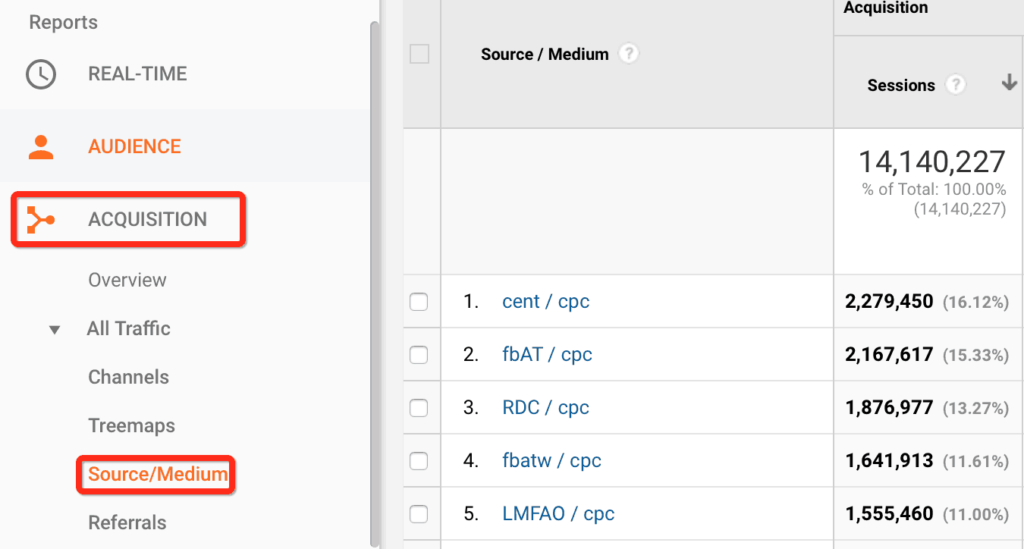
Step 2: Have you changed your traffic source? Look at your Google Analytics data. In the left sidebar navigate to Acquisition -> Source/Medium to investigate the issue.
Step 3: Have you deployed any changes on the site?
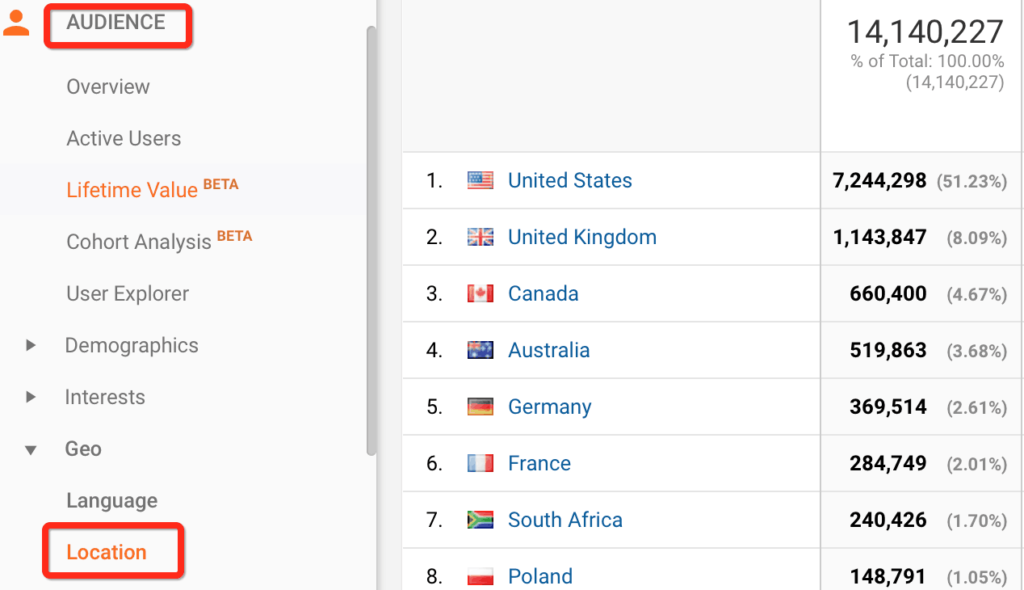
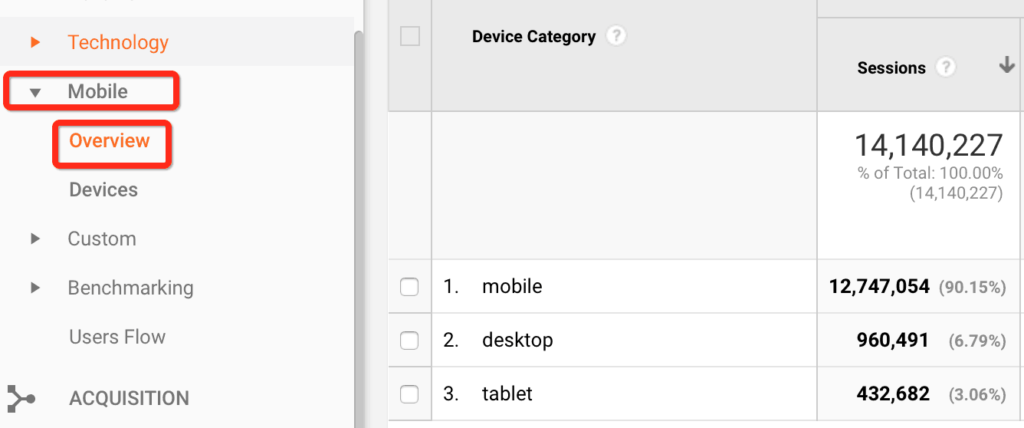
Step 4: Has the traffic profile changed such as geographical location or device? Check your Google Analytics data to help troubleshoot the issue. In the left sidebar navigate to Audience -> Geo -> Location to see if your audience geo has changed. Or Audience -> Mobile -> Overview to see if your audience has shifted it’s ratio of desktop to mobile traffic.
Step 5: Is Ad Exchange or any managed demand partner winning over header bidding? Run a report on DFP.
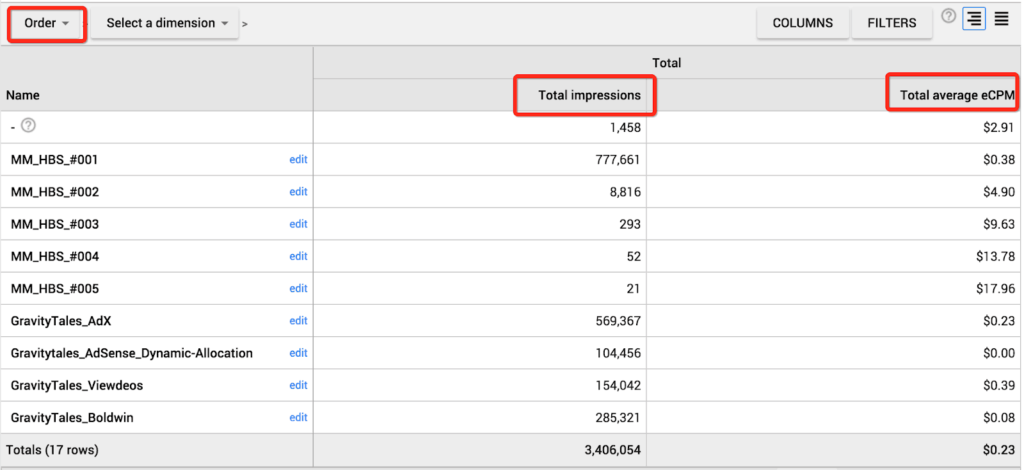
Step 6: Check CPM rates for Managed Demand to ensure they are not inflated. Adjust them accordingly by calculating the true CPM [ (UI revenue/DFP impressions)*1000 ].
Step 7: Try other optimization strategies to improve CPM.
Need more help? Send us an email at [email protected] or log in to PubGuru App and use the Chat widget for immediate support.
Let our AdOps Experts do the hard work. Sign up today and unlock your revenue potential.