





Sign up today and see the results for yourself!
Want to speed up your verification process?
Share a screenshot of your ad revenue from the past 3 months.
The device dropdown was not set for the ad unit in the header bidding configurator. The ad unit will, therefore, be called across all devices where the header bidding script is deployed to. This could be a problem in the long run especially if this was an unintended behavior.
If the div (body tag) does not exist because it’s not supposed to, it will create extra/null ad requests.
Another thing is – you could be requesting desktop bids from mobile placement IDs or vice versa.
Step 1: Audit your header bidding configuration to make sure Device is properly set per ad unit:
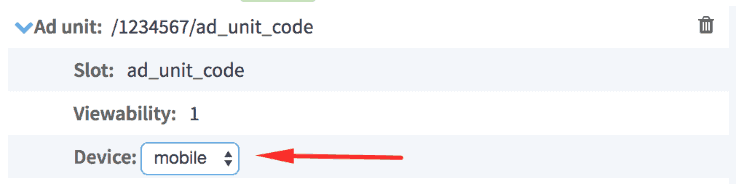
Step 2: If you have an OFF-page + responsive setup, when adding the ad unit twice, Device needs to be specified for each and corresponding Placement IDs/parameters added:
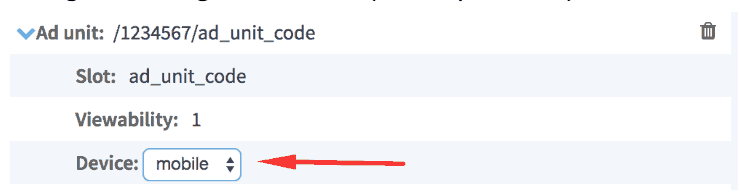
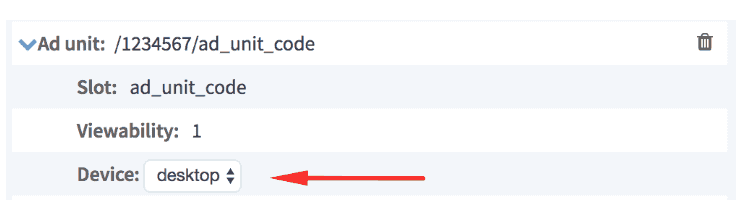
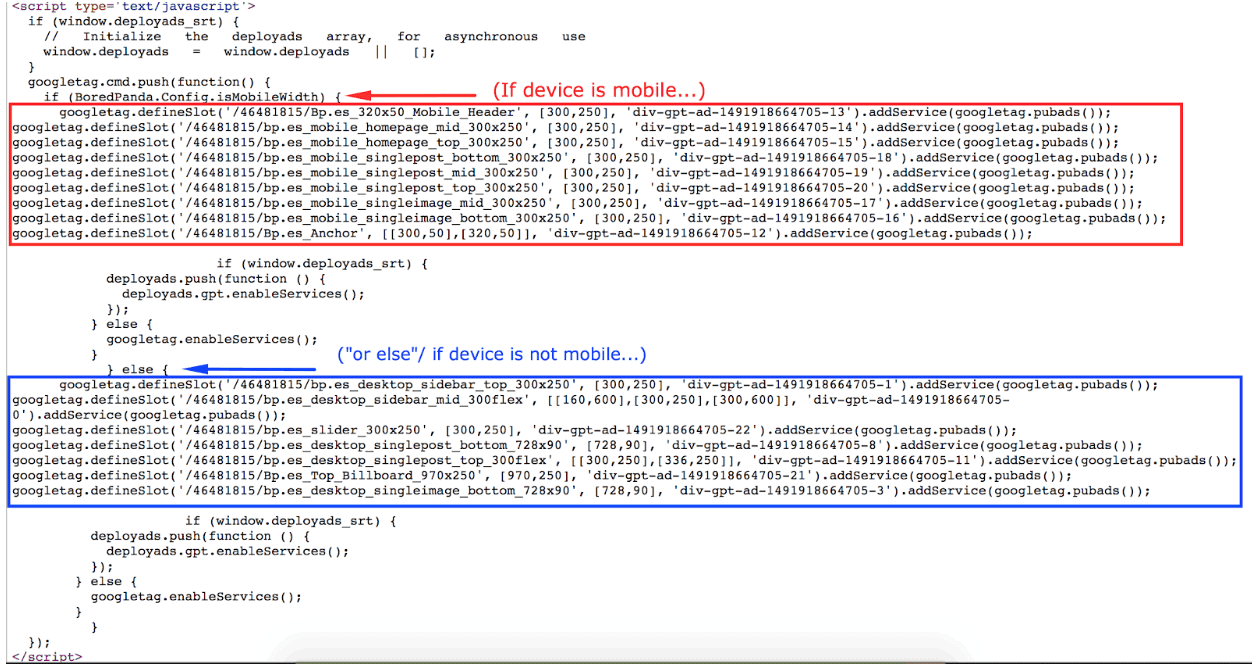
Step 3: If you have an ON-page setup, check that Device detection codes are set to properly load the ads based on device
Need more help? Send us an email at support@monetizemore.com or log in to PubGuru App and use the Chat widget for immediate support.
Let our AdOps Experts do the hard work. Sign up today and unlock your revenue potential.