





Sign up today and see the results for yourself!
Want to speed up your verification process?
Share a screenshot of your ad revenue from the past 3 months.
The system is requiring you to update your AdX Run of Network line item to target or add the specified ad unit sizes.
Step 1: Check if the sizes mentioned are relevant to your publisher. You can dismiss the warning/error if your publisher is not running them and stop at this point.
Step 2: Open the line item in question to edit.
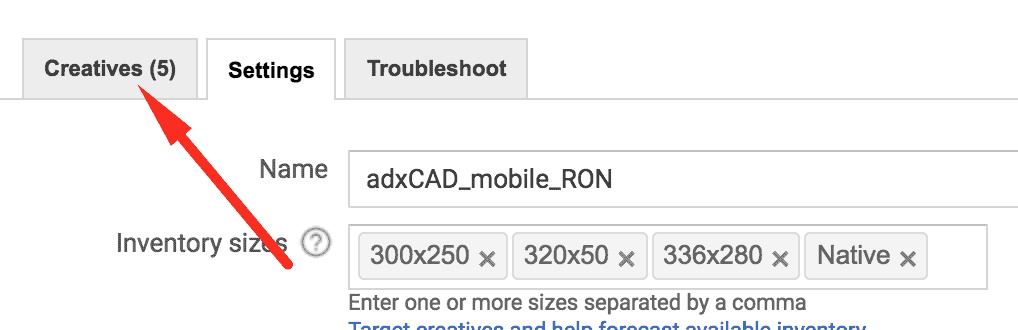
Step 3: Add the inventory size/s in the targeting.

Step 4: Save
Step 5: Click the Creatives tab
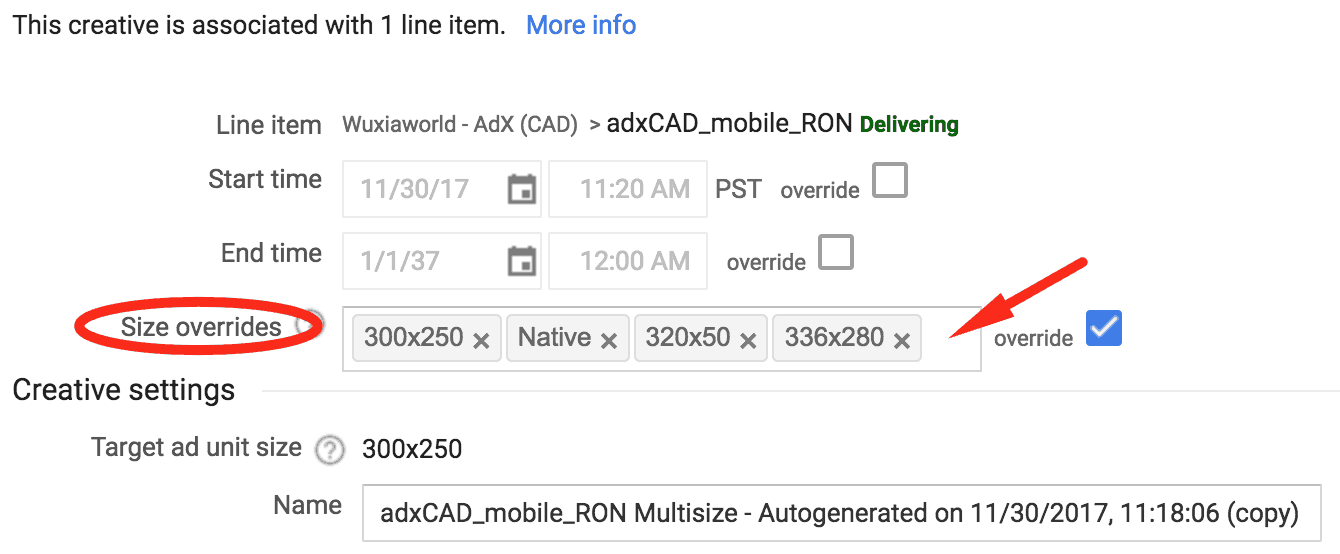
Step 6: Open each creative and add the sizes/s you added in the line item settings.
Step 7: Save
Need more help? Send us an email at [email protected] or log in to PubGuru App and use the Chat widget for immediate support.
Let our AdOps Experts do the hard work. Sign up today and unlock your revenue potential.