





Sign up today and see the results for yourself!
Want to speed up your verification process?
Share a screenshot of your ad revenue from the past 3 months.
Reason: Publisher might have disabled header bidding from the site or implementation is wrong.
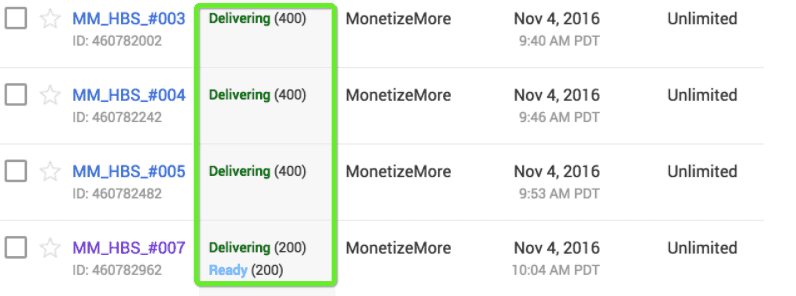
Step 1: Check the status of the MonetizeMore Header Bidding orders and line items on DFP. They have to be marked as ‘Ready’ or ‘Delivering’.
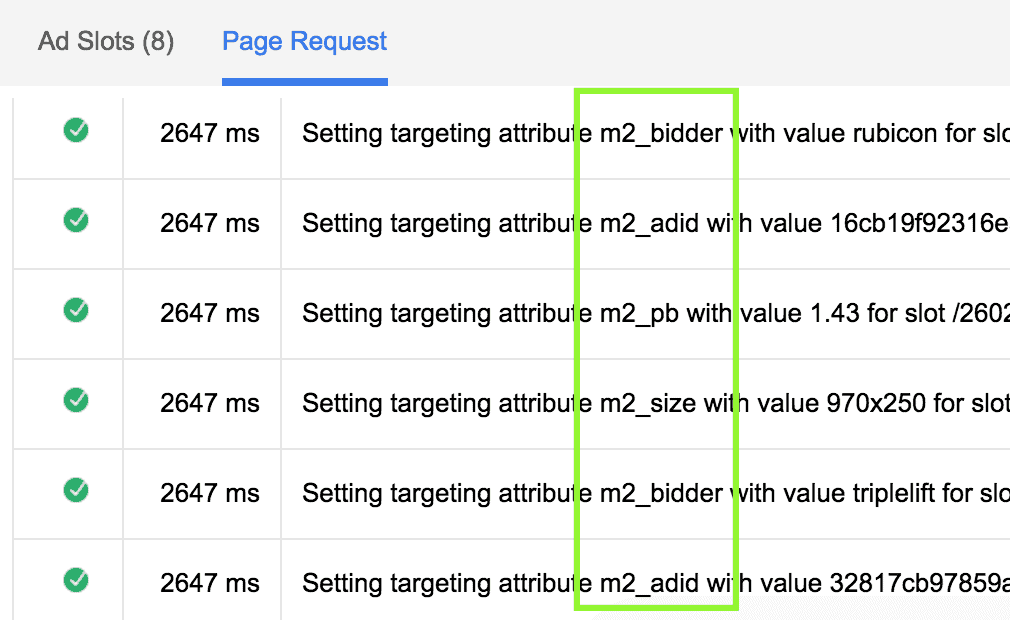
Step 2: Append the URL with ?googfc. Under Page Requests, you should see targeting attributes that contain ‘m2_xxxx’
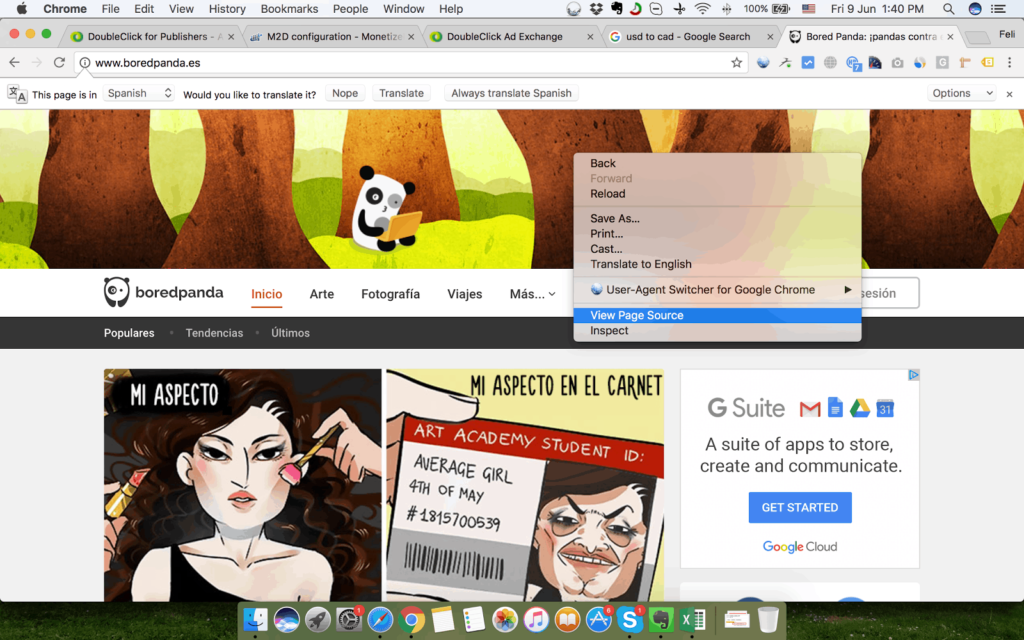
Step 3: Check the source code of the site and look for the MonetizeMore Header Bidding script (Open the website > Right click > View Page Source)
Step 4: Search for “m2hb” or “m2d”. You should see the on-page or off-page codes in the header of the page.
Step 5: Audit Div IDs/Slot IDs
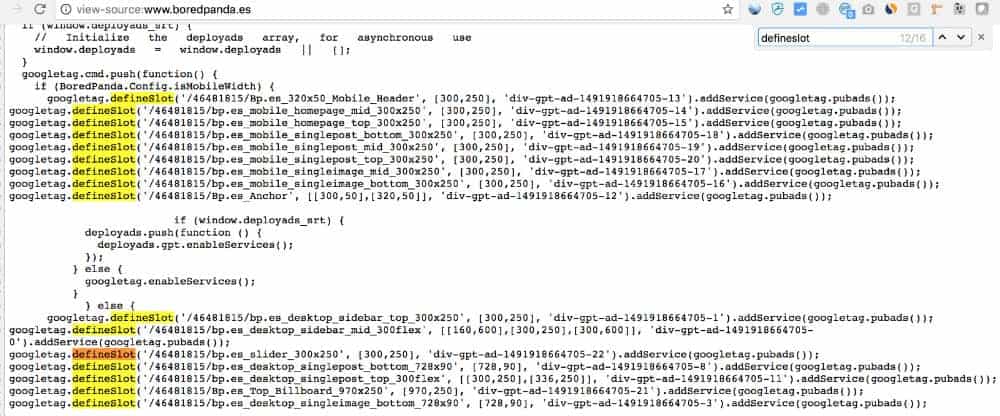
Step 6: Use CTRL+F to find all the mentions of “defineslot” in the page to locate the header tags (applicable if on-page)
Step 7: Use CTRL + F to find the slot ID/div ID
Step 8: On-page setup – If you see in your results that you have 3 matches of the slot ID/div ID within the page (1 on the header, 2 on the body) then that means the div id is set up properly.

Step 9: Off-page setup – You should see at least 1 result in the body

Step 10: If everything looks good, but there are still no impressions on DFP please contact our adops engineering department at [email protected].
Need more help? Send us an email at [email protected] or log in to PubGuru App and use the Chat widget for immediate support.
Let our AdOps Experts do the hard work. Sign up today and unlock your revenue potential.