





Sign up today and see the results for yourself!
Want to speed up your verification process?
Share a screenshot of your ad revenue from the past 3 months.
This means you are using an old version of PubGuru Header Bidding which doesn’t support this function. Upgrade to a newer version of PubGuru Header Bidding.
Step 1: Log into tools.monetizemore.com > PubGuru Header Bidding > Configurations.
Step 2: Open the PubGuru Header Bidding feature and find the relevant configuration.
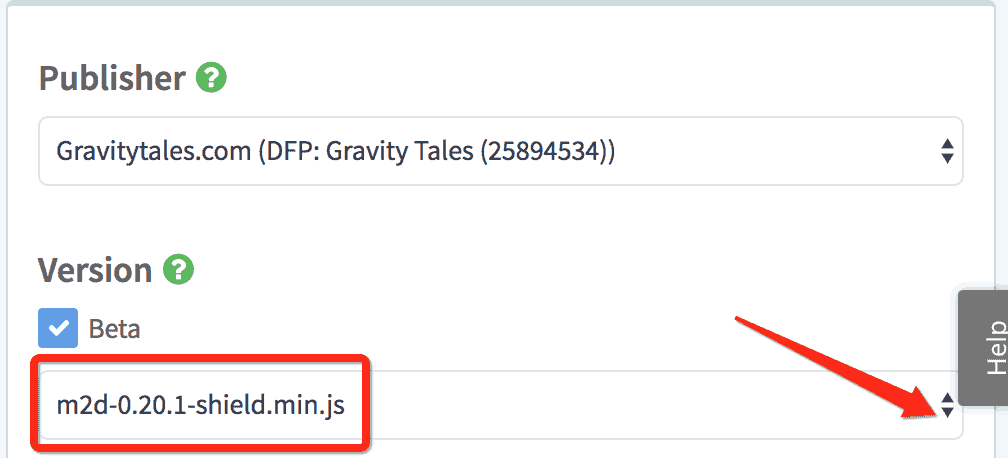
Step 3: Uncheck the “Beta” box, and publish. This will run the most stable version.
Step 4: If for any reason you have to keep “Beta” checked, upgrade the configuration version.
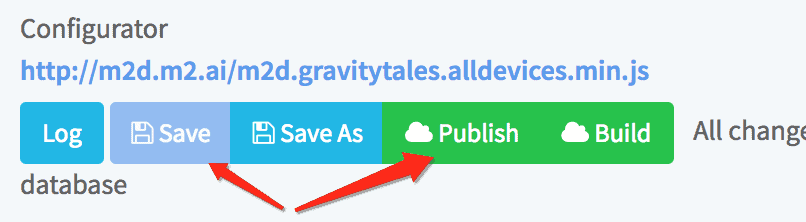
Step 5: Click Save and publish.
Step 6: Re-run a debug test after 10-15mins.
Need more help? Send us an email at [email protected] or log in to PubGuru App and use the Chat widget for immediate support.
Let our AdOps Experts do the hard work. Sign up today and unlock your revenue potential.