





Sign up today and see the results for yourself!
Want to speed up your verification process?
Share a screenshot of your ad revenue from the past 3 months.
Your header bid setup was detected, however, the misconfigurations are preventing returned bids from ad networks. As a result, your ad inventory is missing the full benefit of header bidding and your ad revenues are suffering.
Step 1: Log into tools.monetizemore.com > PubGuru Header Bidding> Configurations.
Step 2: Open the relevant configuration.
Step 3: Check to make sure the ad unit is added in the configuration.

Step 4: Check the slot field in the configuration to make sure it’s correct.

Step 5: Slot field should be your GAM ad unit code.
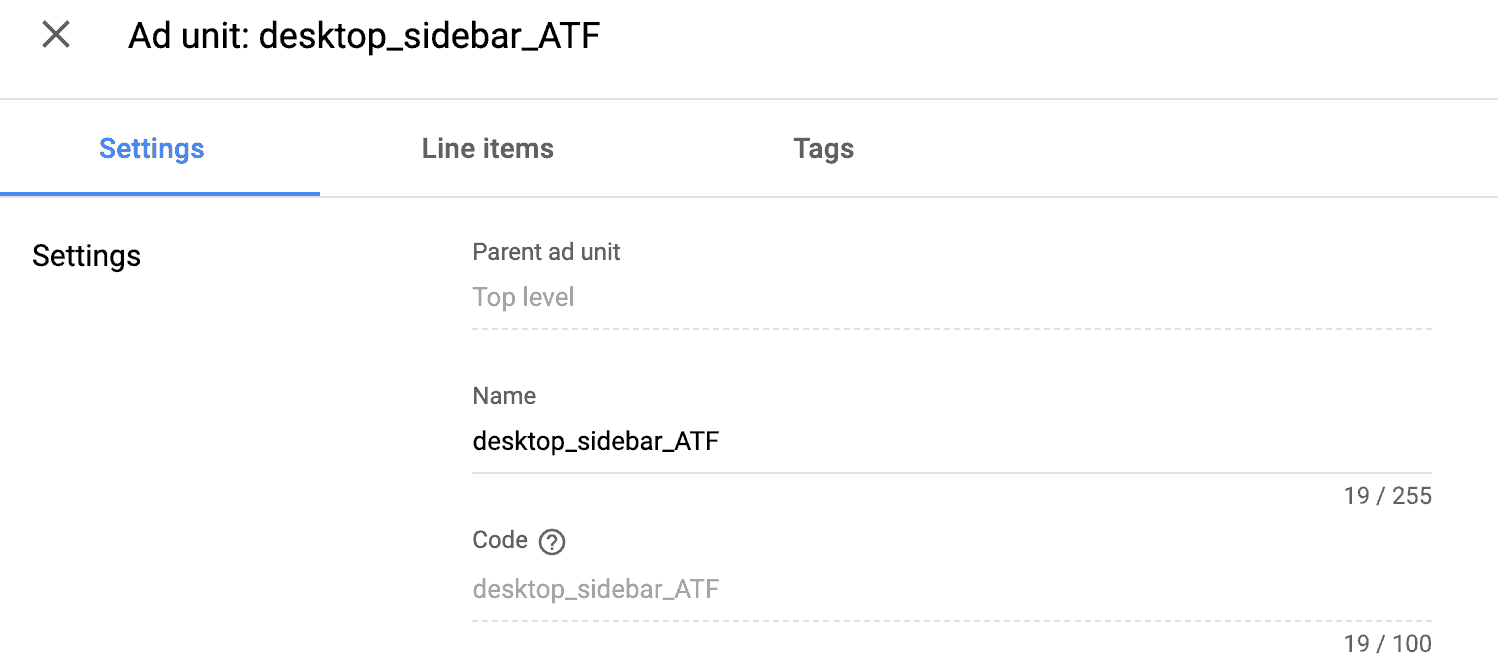
Step 6: Add the relevant bidders/Placement IDs (PIDs) for this ad unit.
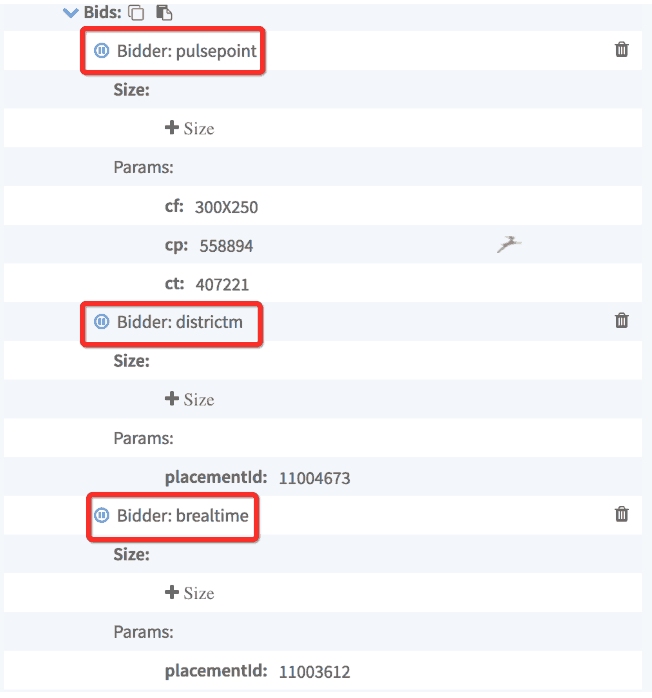
Step 7: Check if all your ad units that should be running are complete in the configuration.
Step 8: Check their settings as well as per the above steps.
Need more help? Send us an email at support@monetizemore.com or log in to PubGuru App and use the Chat widget for immediate support.
Let our AdOps Experts do the hard work. Sign up today and unlock your revenue potential.