





Sign up today and see the results for yourself!
Want to speed up your verification process?
Share a screenshot of your ad revenue from the past 3 months.
You have Ad Manager codes deployed on the page but it is not loading properly.
Step 1: Fix all other issues found in your PubGuru Ad Inspector (PGAI) test results
Step 2: Re-run PubGuru Ad Inspector (PGAI) and see if the error persists. If yes, proceed:
Step 3: If you have old Ad Manager or header bidding codes deployed and no longer in use, remove them from your source code
Step 4: Audit your ad units in Google Ad Manager. Status should say ‘Active’

Step 5: Check your PubGuru Header Bidding, AdX/AdSense, Managed Demand orders and line items. They should either be ‘ready’ or ‘delivering’
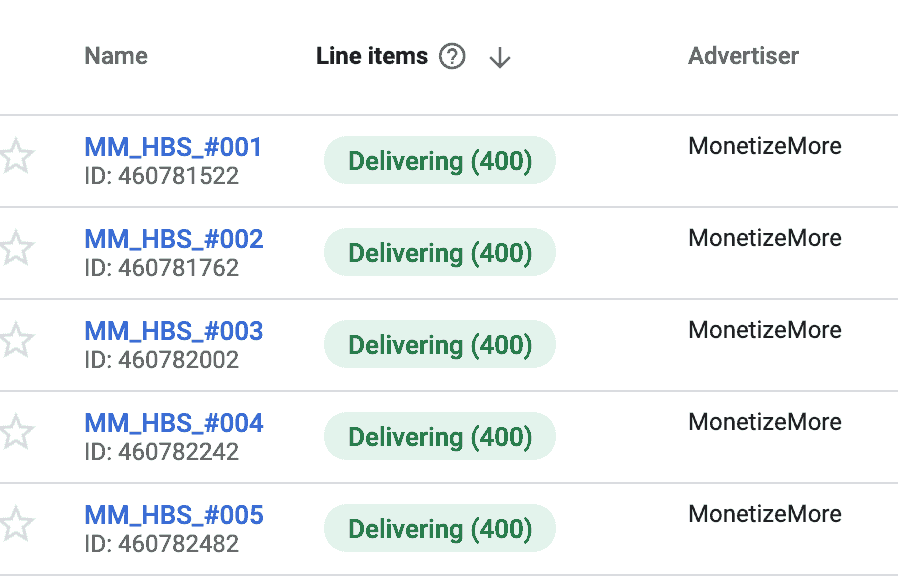
Step 6: Go to Admin > Global Settings. API access should be enabled

Step 7: Re-check your PubGuru header bidding configuration to make sure you have the correct Network ID configured for each ad unit.

If you have ON-page setup, aside from auditing your header bidding configuration, audit your source code that you have the correct Network ID:
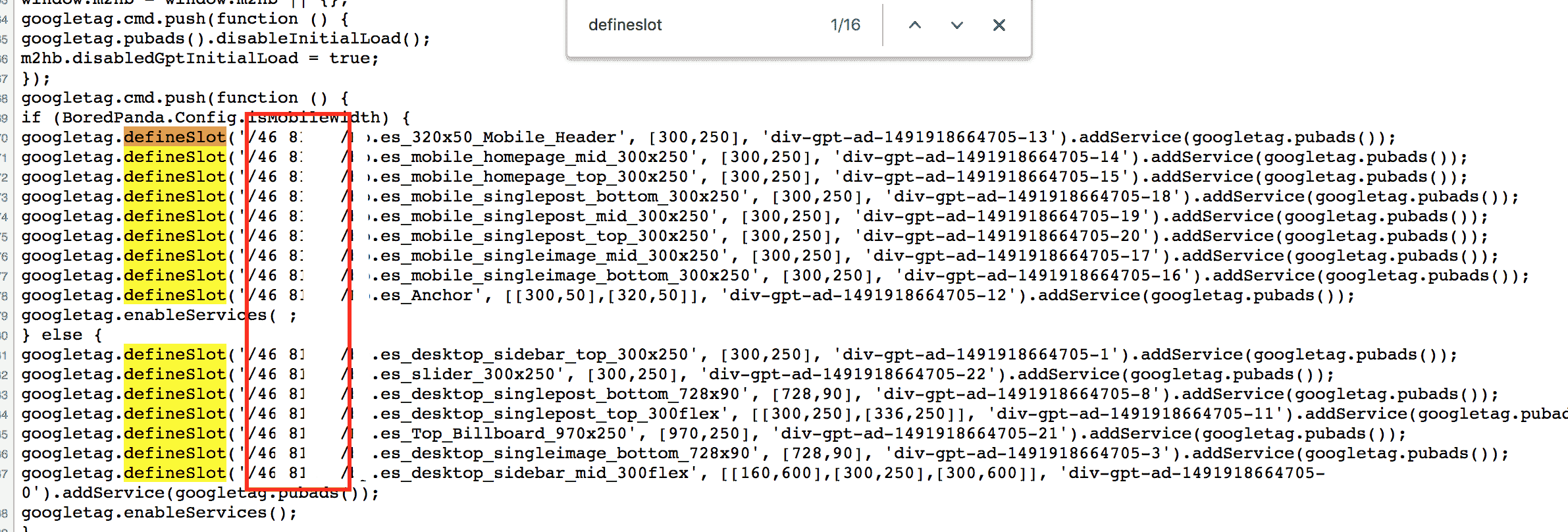
*It might help to generate the tags again from Ad Manager, delete the codes on page and replace. When replacing codes, make sure you replace both Header & Body tags because of div ID’s need to match.
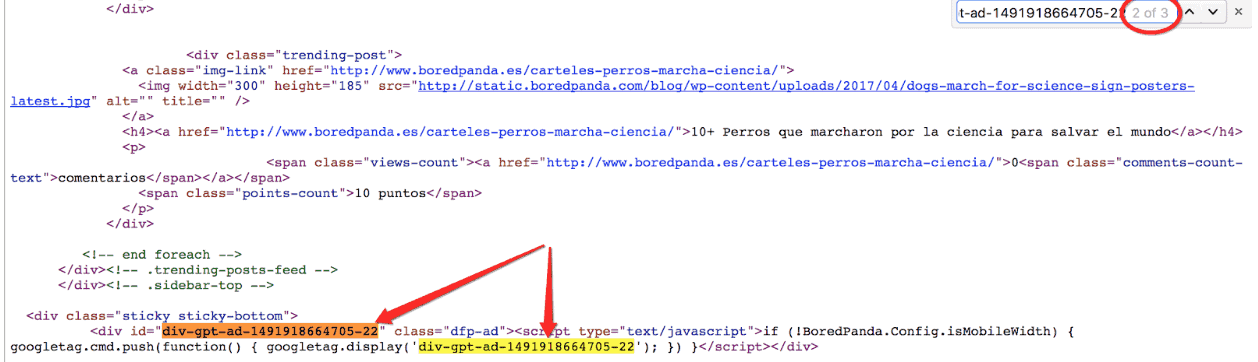
Step 8: Audit the div ID’s to make sure it matches.
There are 3 places where your div ID should be found or configured. Audit the following:
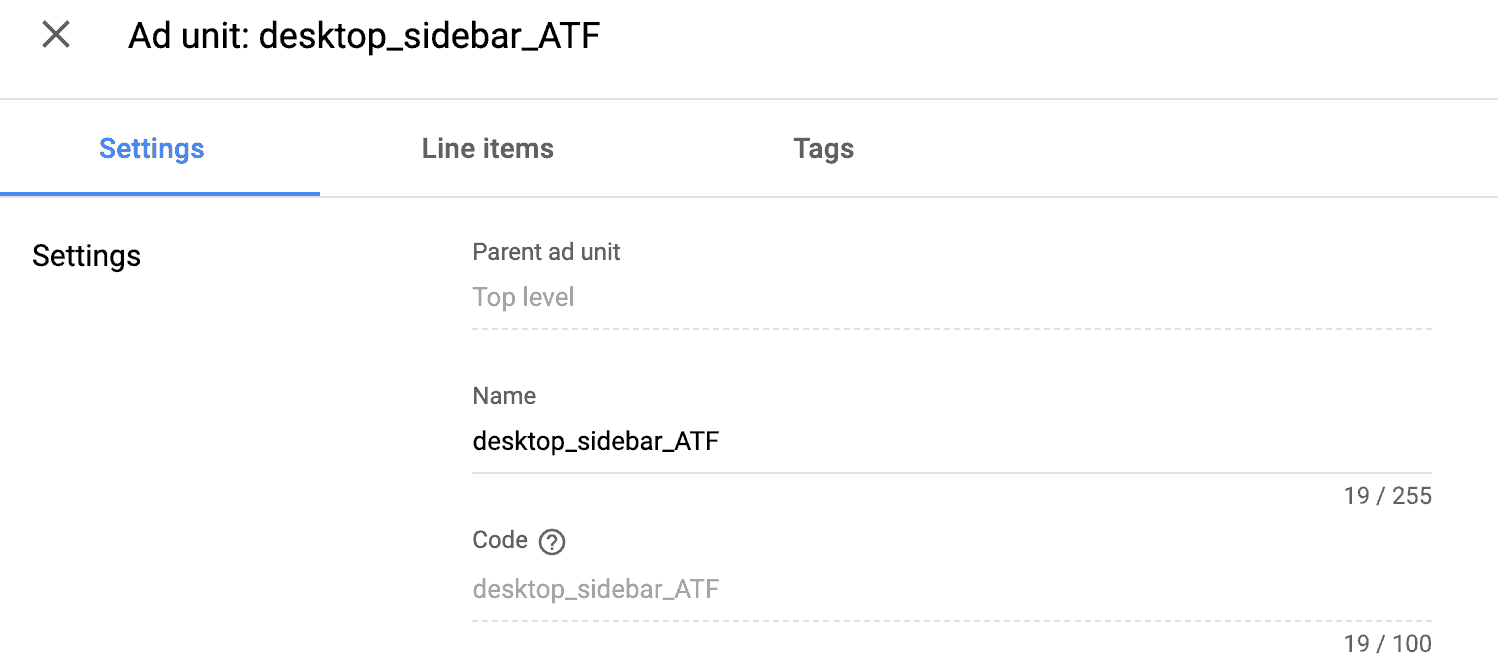

Off page:

On page:
Within <head> </head>
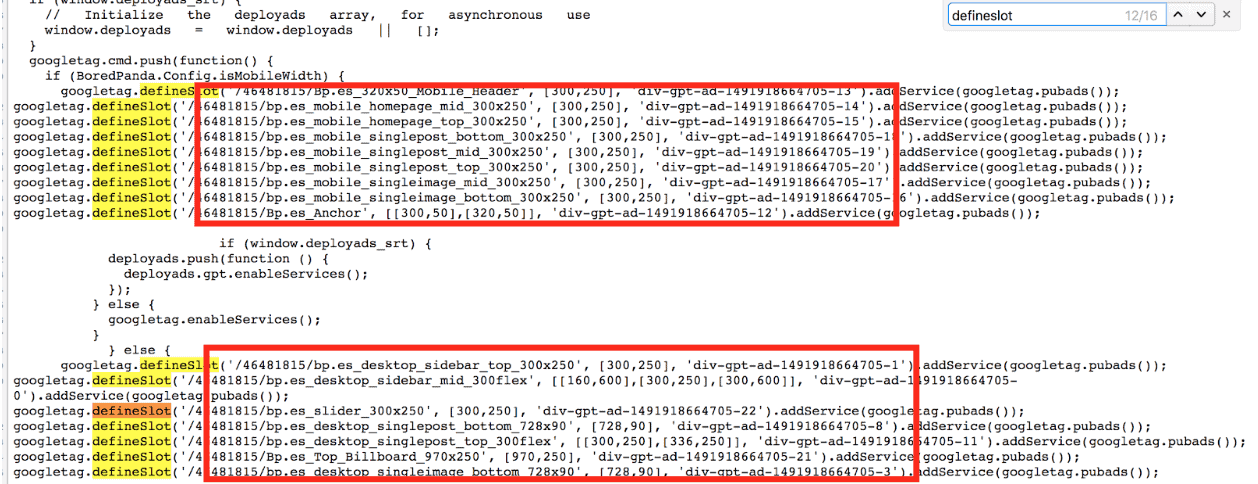
Within <body> </body>
Need more help? Sign up for a Premium account today and leverage your long-term RPMs!
If you have an account with us already, send us an email at support@monetizemore.com or log in to PubGuru App and use the Chat widget for immediate support.
Let our AdOps Experts do the hard work. Sign up today and unlock your revenue potential.