





Sign up today and see the results for yourself!
Want to speed up your verification process?
Share a screenshot of your ad revenue from the past 3 months.
Step 1: If there are other errors on the page, deal with them first.
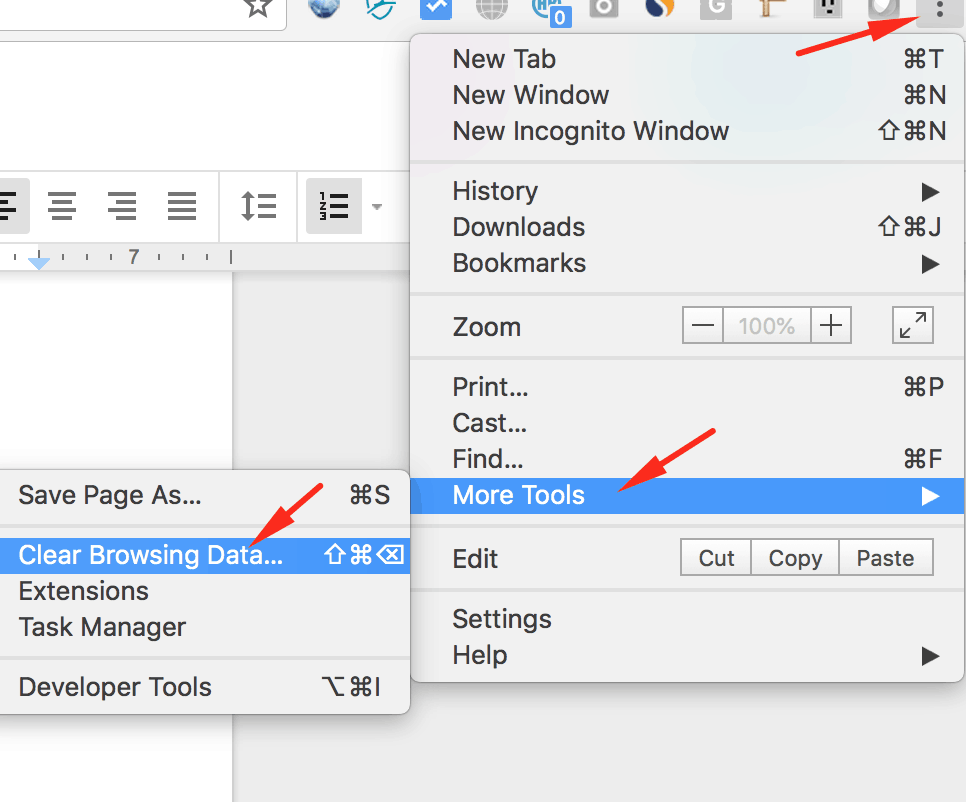
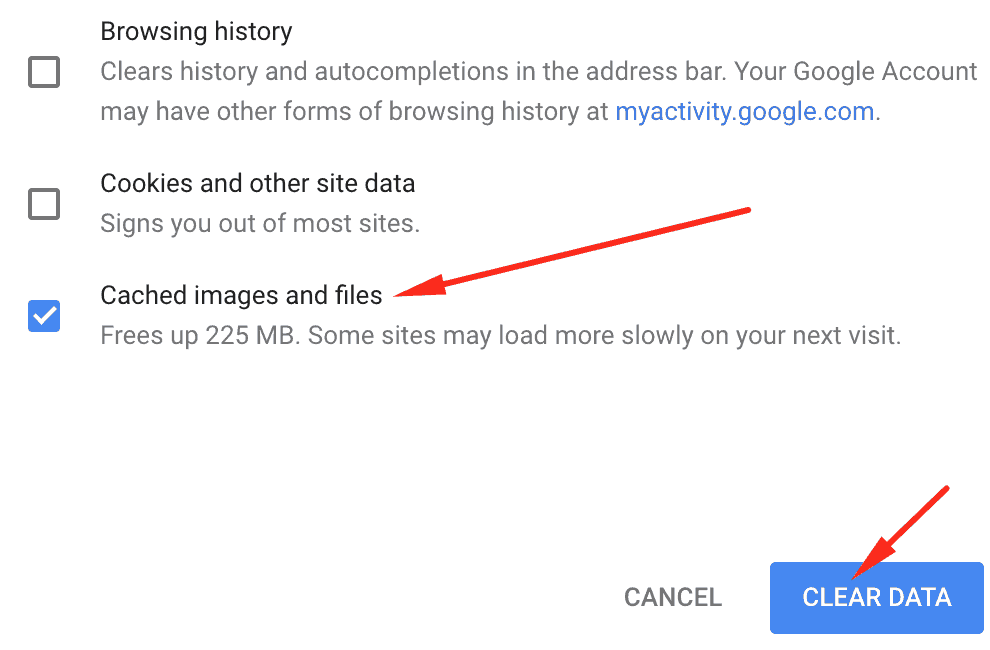
Step 2: After fixing all other errors, clear your cache.
Step 3: Reload or refresh the webpage you are running the PGAI on.
Step 4: Try upgrading your HB version. Open your HB config and set version to latest stable.
Step 5: If the error persists, please report this to our support team with this notification title in the subject line and they’ll help you troubleshoot the issue.
Need more help? Send us an email at support@monetizemore.com or log in to PubGuru App and use the Chat widget for immediate support.
Let our AdOps Experts do the hard work. Sign up today and unlock your revenue potential.