





Sign up today and see the results for yourself!
Want to speed up your verification process?
Share a screenshot of your ad revenue from the past 3 months.
Device detection codes are possibly missing from the publisher’s source code (if on-page) or not properly set in the configuration device drop-down (if off-page). As a result, more than one div is detected in a single page load.
ON-page:
Step 1: On your webpage, right-click ‘view page source’.
Step 2: Use CTRL+F and search for “defineslot” to locate the DFP header tags.
Step 3: If the publisher is using a separate set of ads on mobile vs desktop, check that the device detection codes are set to properly load the ads based on the device:
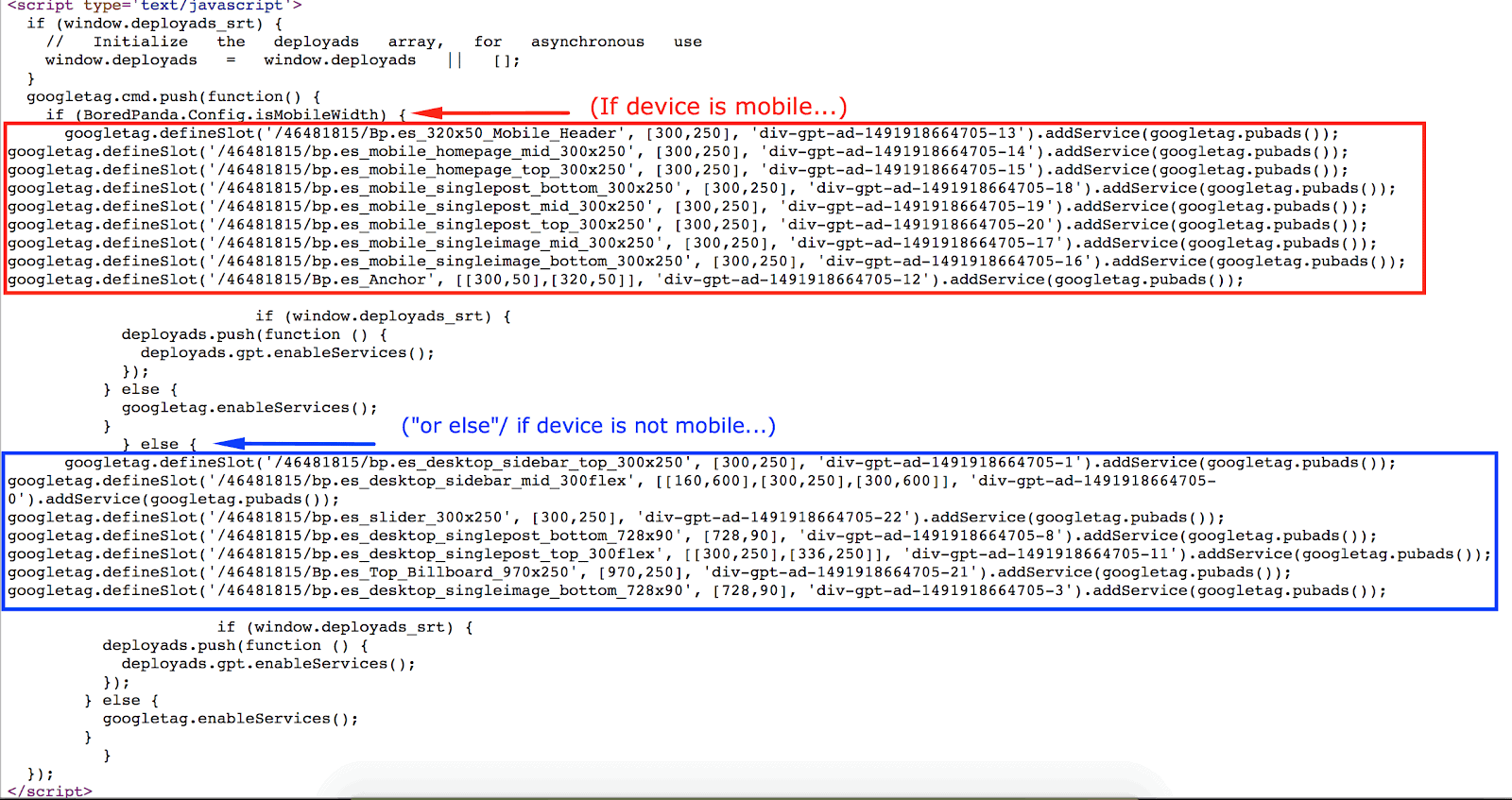
Step 4: Search the div ID’s. You should only see each body tag or div deployed once.

Step 5: Using a mobile emulator, refresh the page to load mobile.
Step 6: View page source again and hunt down the duplicate ID.
Step 7: Advise the publisher to remove the duplicate div ID.
OFF-page:
Step 1: Open the configuration.
Step 2: Check the“Slot” field to find any unnecessary duplicates.
Step 3: If an ad unit is added twice (i.e. responsive setup), ensure each ad unit defined in the configuration has the right device set (desktop/mobile).
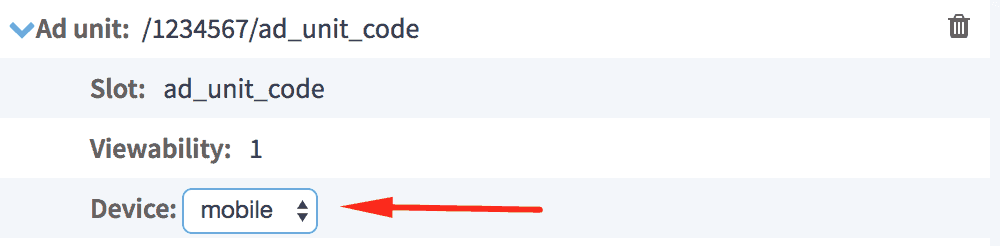
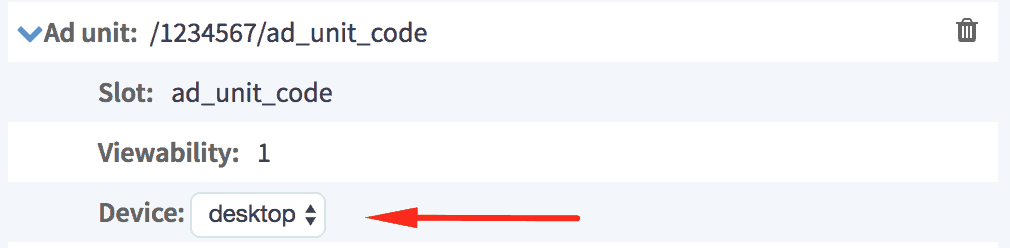
Step 4: Open the publisher site, and on your webpage, right-click ‘view page source’.
Step 5: Search the div ID’s. You should only see each body tag or div deployed once.
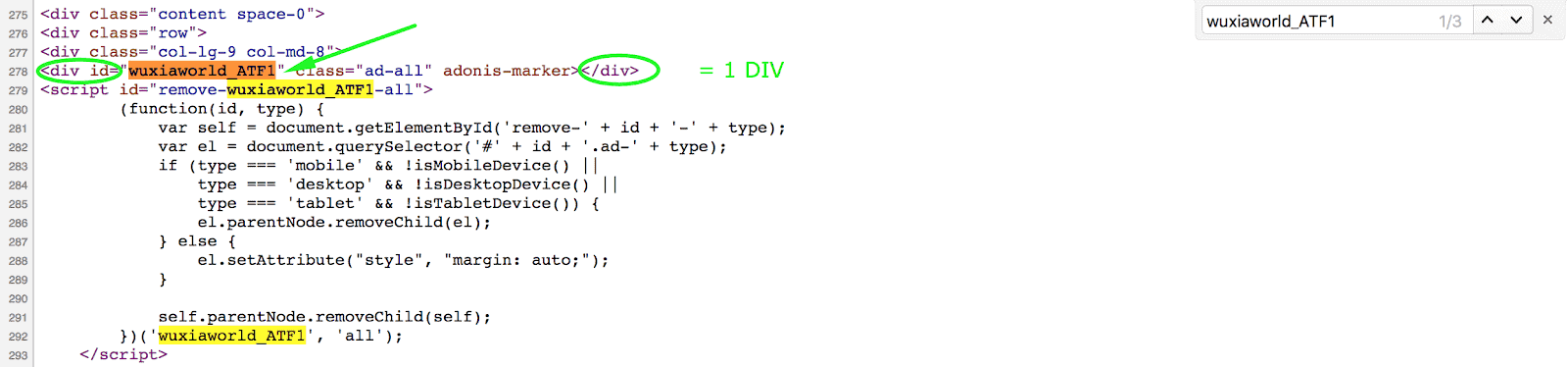
Step 6: If you see any duplicates, have the publisher remove them.
If everything is fixed and you still see the configtest error, please report this to our support team with this notification title in the subject line and they’ll help you troubleshoot the issue.
Need more help? Sign up for a Premium account today and leverage your long-term RPMs!
If you have an account with us already, send us an email at support@monetizemore.com or log in to PubGuru App and use the Chat widget for immediate support.
Let our AdOps Experts do the hard work. Sign up today and unlock your revenue potential.