





Sign up today and see the results for yourself!
Want to speed up your verification process?
Share a screenshot of your ad revenue from the past 3 months.
KVP Sync
Server raised fault: ‘[AuthenticationError.NO_NETWORKS_TO_ACCESS @ ]’
Authentication Error: No Networks to Access
Meaning: API not enabled
Step 1: Log into the publisher’s DFP account
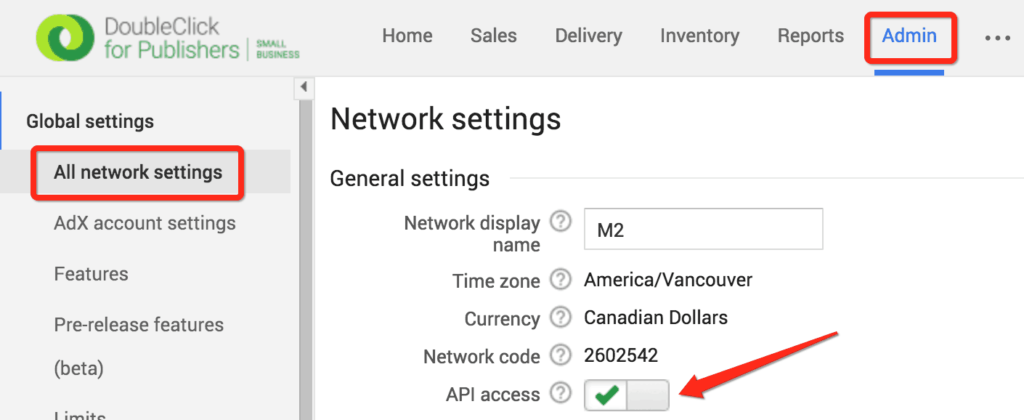
Step 2: Go to Admin > Global Settings > All Network Settings
Step 3: Toggle the button next toon “API access” to enable it. Once enabled you should see a green check mark.
Step 4: Go to Access & Authorization
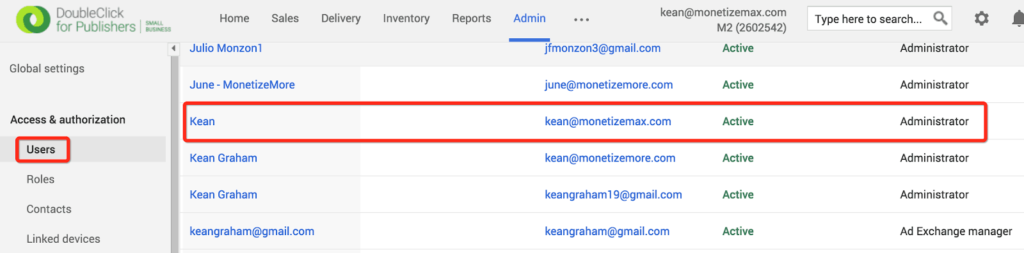
Step 5: Under the list of Users, check if [email protected] is already added as Administrator
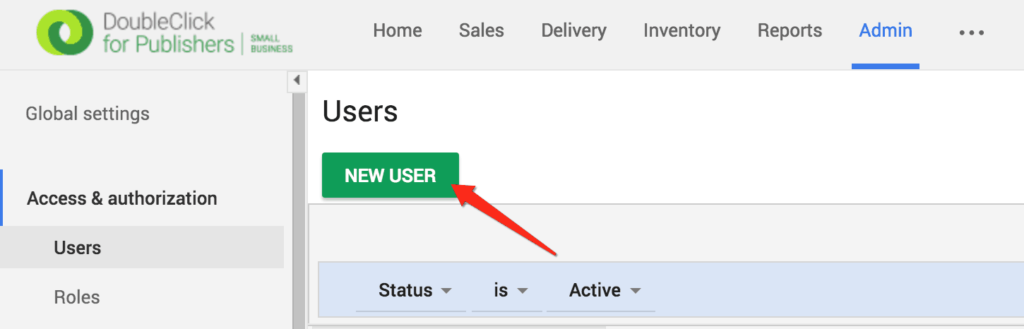
Step 6: If not, click on New User
Step 7: Input the necessary info, and select Administrator for ‘Role’
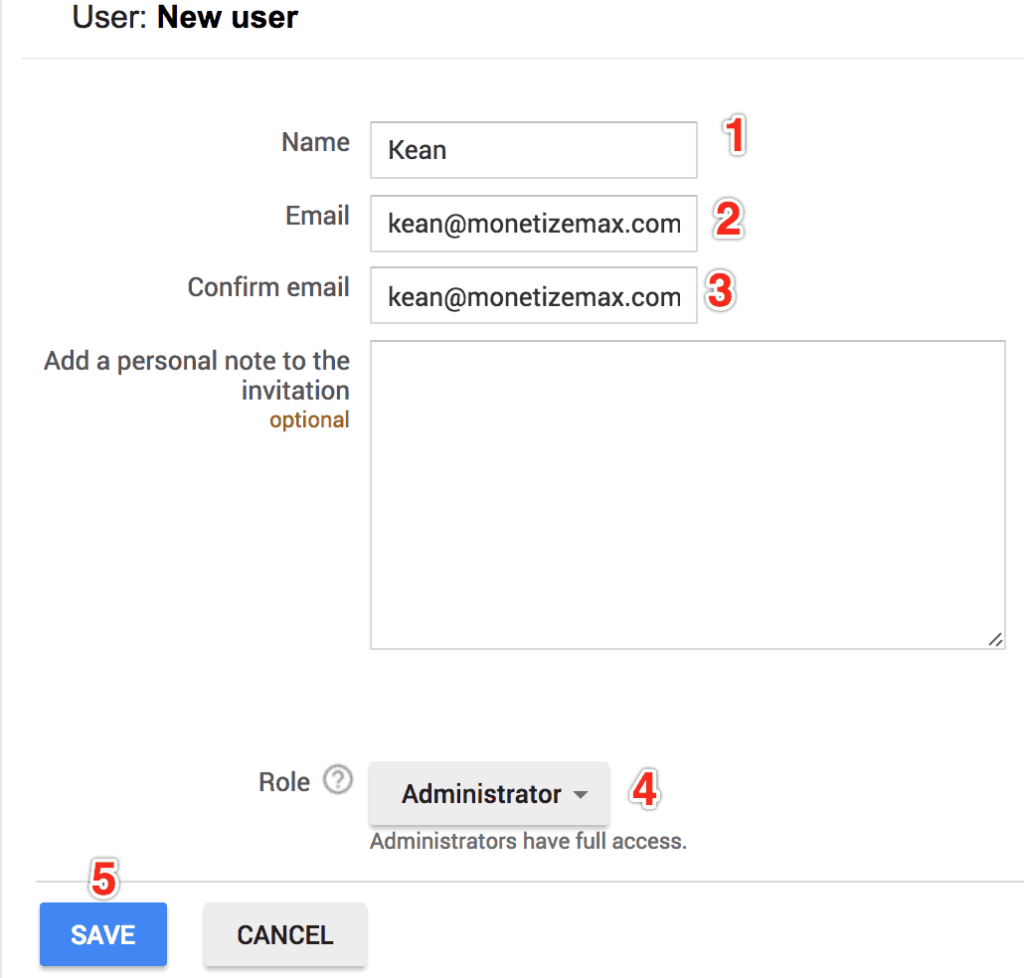
Step 8: Click Save
Step 9: Login to kean@monetizemax account to accept the invite.
Need more help? Send us an email at [email protected] or log in to PubGuru App and use the Chat widget for immediate support.
Let our AdOps Experts do the hard work. Sign up today and unlock your revenue potential.