





Sign up today and see the results for yourself!
Want to speed up your verification process?
Share a screenshot of your ad revenue from the past 3 months.
The “display” property is the most important CSS property for controlling layout. “display: none;” is commonly used with JavaScript to hide and show elements without deleting and recreating them. Hiding an element can be done by setting the “display” property to “none”. The element will be hidden, and the page will be displayed as if the element is not there. https://www.w3schools.com/css/css_display_visibility.asp
Similar to CSS property “display:none”, the “hide()” jQuery method also hides the selected elements. Hidden elements will not be displayed at all. https://www.w3schools.com/jquery/eff_hide.asp
This negatively impacts viewability which advertisers are starting to adapt to as an important metric when buying traffic.
Step 1: Check random pages if this error still pops up.
Step 2: Right-click on the page and click “Inspect”.
Step 3: Click the box with the cursor icon to select elements on the page.

Step 4: Look for the ad unit in question and click on it.
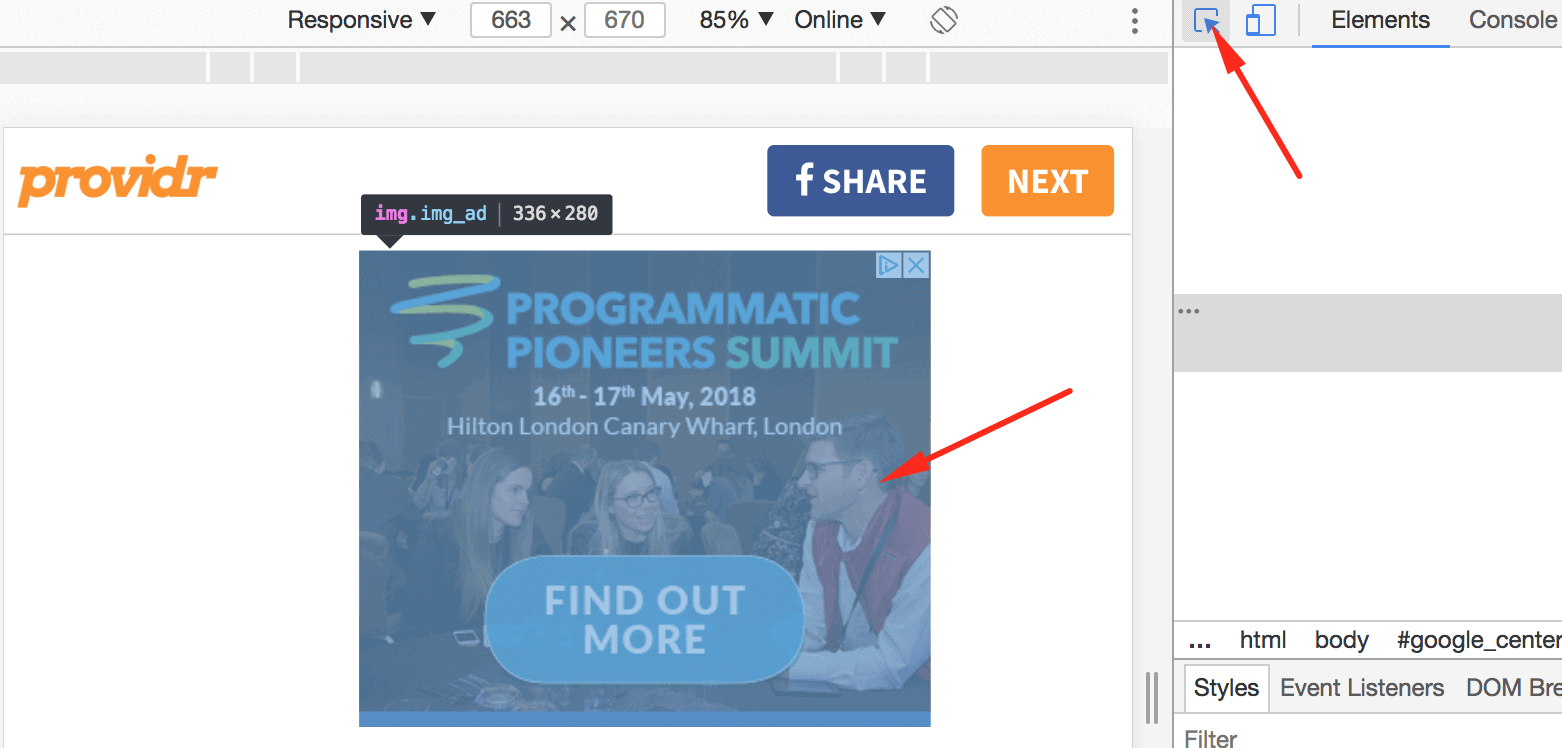
Step 5: Under the “Elements” tab, you should see “Styles” section.
Step 6: Look for anything that says “display:hidden” or “display:none” or “ .hide()”.
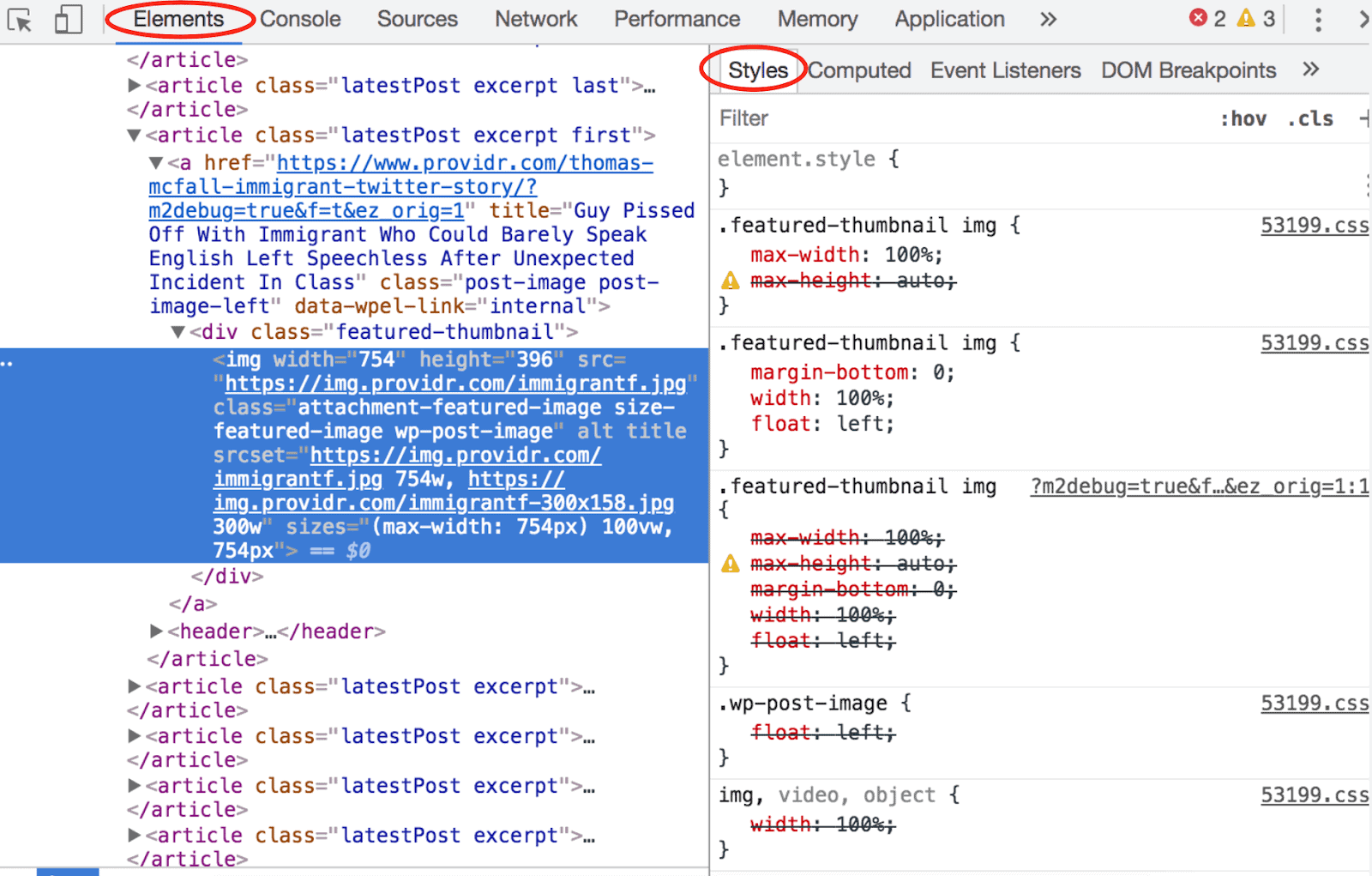
Step 7: Once confirmed, advise the publisher to stop using it on ad unit divs.
Step 8: If the publisher refuses to do as advised, remove the ad unit from the configuration; or create a separate configuration without the hidden ad unit in it and provide implementation instructions to the publisher.
Need more help? Send us an email at [email protected] or log in to PubGuru App and use the Chat widget for immediate support.
Let our AdOps Experts do the hard work. Sign up today and unlock your revenue potential.