





Sign up today and see the results for yourself!
Want to speed up your verification process?
Share a screenshot of your ad revenue from the past 3 months.
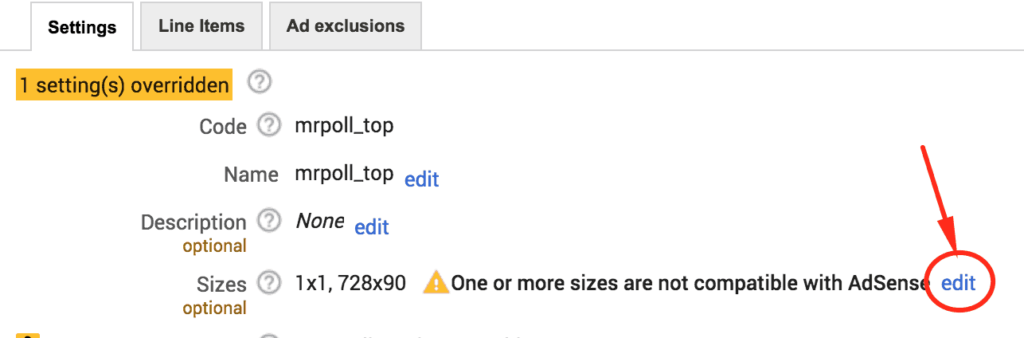
Meaning: Ad Unit size added in the configuration does not exist in DFP.
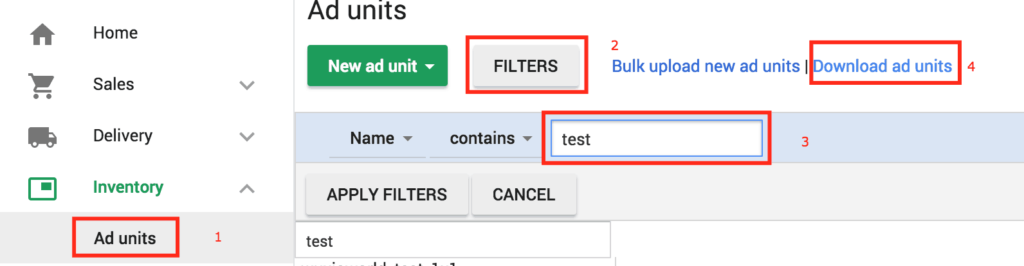
Step 1: Start by logging into your publisher DFP account.
Step 2: Go to Inventory > Ad Units
Step 3: Click Filter > Filter by name
Step 4: Apply filters.
Step 5: Download the ad units.
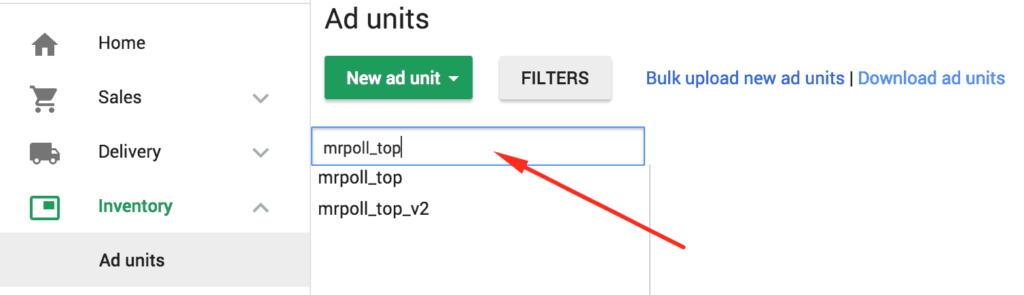
Another way is to filter the ad units one by one by searching for them within DFP inventory:
Step 6: Log into tools.monetizemore.com
Step 7: Go to M2HB (MonetizeMore Header Bidding) > Configurations
Step 8: Search for the relevant configuration.
Step 9: Cross-check the ad sizes configured for each ad unit versus the sizes in DFP/File exported.
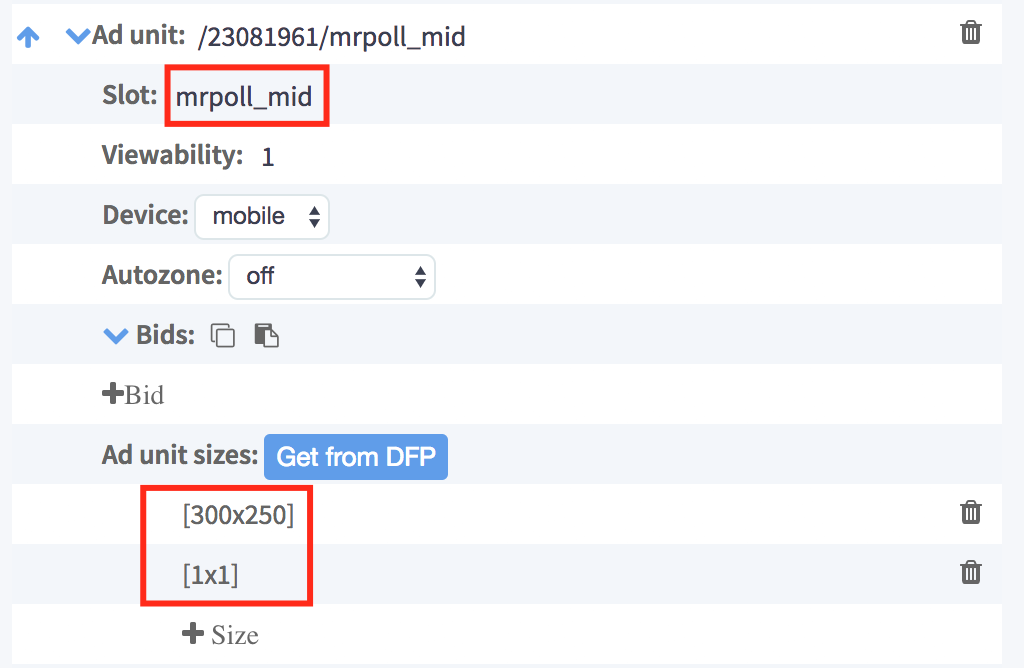
Step 10: In case of a mismatch, determine which one is correct configuration vs DFP)
Step 11: If DFP is correct, click the button “Get from DFP” and it will automatically replace with the right sizes.
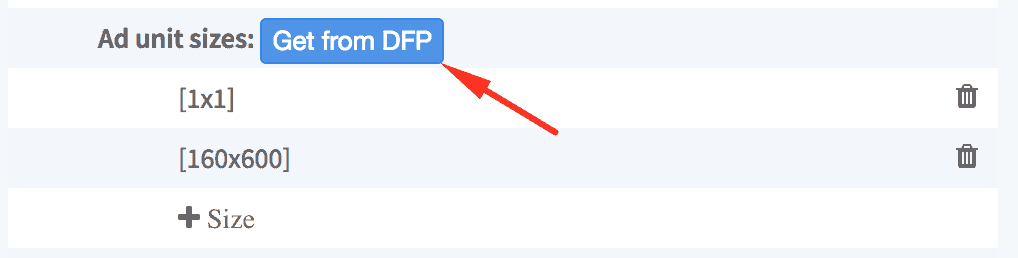
Step 12: If the configuration is correct, edit the size of the ad unit in question and make the necessary changes.
Step 13: If you changed the configuration clickSave & Publish”.
Step 14: If you changed ad unit size on DFP click “Save”.
Need more help? Send us an email at [email protected] or log in to PubGuru App and use the Chat widget for immediate support.
Let our AdOps Experts do the hard work. Sign up today and unlock your revenue potential.